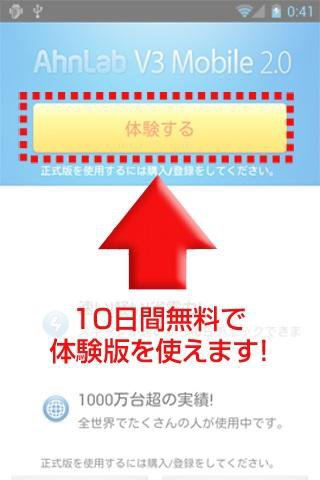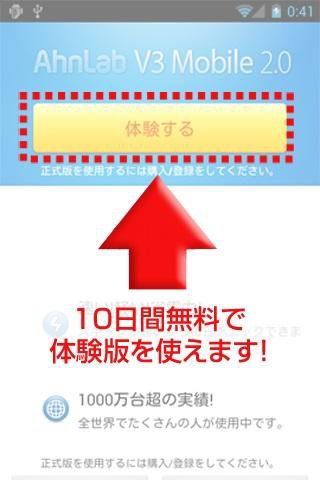
This is the lightest and fastest security app for Android devices. Packed with functions such as virus/spyware protection, remote lock/wipe/initialization/location search in case of loss!
Sales ended on June 30, 2016.
Please refer to our website for details.
“ AhnLab V3 Mobile 2.0 ” recommended points
price! Lightness! Speed! Introduction results! High virus detection rate recognized by a third-party organization!
AhnLab's " AhnLab V3 Mobile 2.0 " has a fast scanning speed and can be used for daily scanning. It is designed to not put a burden on smartphones that require quick movement, and there is almost no interference with other apps even when it is constantly activated.
AhnLab V3 Mobile series is installed in 20 million devices worldwide! Reliable ability recognized by the world!
■In Korea, standard bundle with Samsung “GALAXY” and LG
Cumulative total exceeds 20 million units! *Korea results
■ Obtained 10 consecutive certifications from the third-party evaluation agency “AV-TEST” since the start of testing! (as of 2014)
In particular, it is highly rated as having "zero misdiagnosis rate" and "CPU usage rate of 0.26%"!
■Power-saving design with extremely low CPU usage and memory usage!
■Does not interfere with security apps from other companies.
■Even if you start other apps, you can start them easily.
Almost no interference with operation. (The operation will not be slow.)
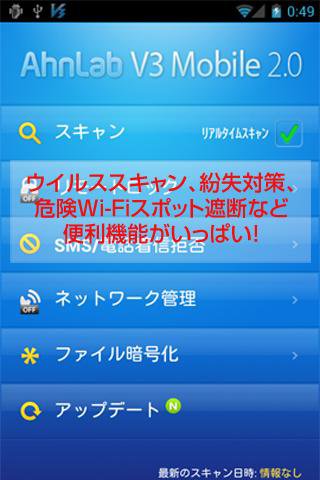
[Main functions]
■Scan: Virus infection prevention
"This app looks interesting! Is it okay to download it?"
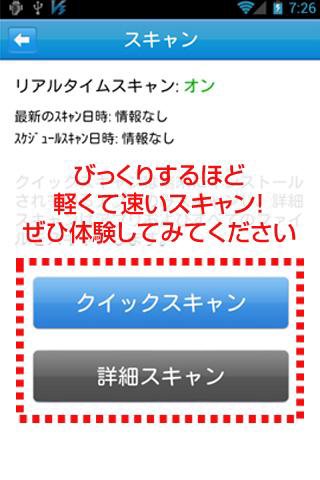
With the scanning function of " AhnLab V3 Mobile 2.0 ", you can check all apps and files!
What's more, it's lightweight and has fast scanning capabilities that protect you at any time in real time. Please experience the scanning speed that can be processed in the blink of an eye.
>>4 scans<<
• Quick scan: Run a scan for applications on your device
• Deep scan: Run a scan of all files on your device
• Scheduled scan: Automatically run a scan at a specified time
(Specify the date and time from Preferences/Schedule Scan Settings)
• Real-time scan: Automatically scan when an app is installed on your device
■Remote lock: Measures against loss and theft
Smartphones contain a variety of information. What if you lose it? If you're worried about where you left it, use the remote lock function of " AhnLab V3 Mobile 2.0 ".
・Track smartphone location information
- Lock remotely to prevent others from operating it
・Remotely delete data
Don't worry because you can do it!
>>Four functions to prepare for loss/theft<<
• Remote device lock when your device is lost
• Data remote deletion
• Terminal remote initialization
• Device location tracking feature
■SMS/Call Rejection
Block out annoying notifications by registering your phone number and keywords!
Even if you block the call, you can rest assured that a record of the sender will remain.
■Network management
Allow or block Wi-Fi access points.
You can check the amount of Wi-Fi and 3G/4G communication packets in a graph.
An alert will be displayed when 3G/4G usage exceeds the limit.
■File encryption
Smartphones are highly useful in a variety of situations.
You can protect important files with a password in case your device is lost or stolen.
■Update
You can keep your engine up to date by updating.
[OS]
AndroidTM mobile technology platform
[OS version]
Android OS 2.2~5.x
【screen】
320×480 or more
*Please check the Ahn Lab homepage (http://jp.ahnlab.com/) for the latest operating environment.
*Some functions may not work on some devices.
*If you are using Android OS4.4, you cannot use the "SMS/Call Rejection" function menu.
*Cannot be used in a multi-user environment.
[About the use of AhnLab V3 Mobile 2.0 license]
1) " AhnLab V3 Mobile 2.0 " requires one license per device.
2) " AhnLab V3 Mobile 2.0 " can be reinstalled even if you initialize your device. (However, only on the same device.)
3) If your device is replaced, the serial number changes due to repair, or is lost, the right to use the license for "AhnLab V3 Mobile" will expire.
*Customers who purchased from Google Play will receive a notification from Google Play via Gmail (subject: Google Play order details) containing the order number. Please keep the order number written in this Gmail safe.
4) If Google ends support for Android OS, the license usage right for " AhnLab V3 Mobile 2.0 " you are using will also expire.
5) For returns, please follow the steps below.
→Required information
・Order number (listed in the Gmail sent from Google Play (Subject: Google Play order details).
・Device serial number (IMEI): The serial number of the Android device you are using.
→Correspondence period
① If within 2 hours of purchase: Please follow Google Play's refund policy listed in Gmail (Subject: Google Play order details).
② If the period in ① has passed: Please contact the Anlab Customer Center (https://mjp.ahnlab.com/site/support/qna/qnaAddForm2.do) within 7 business days (weekdays excluding Saturdays, Sundays, holidays, and year-end and New Year holidays) from the date of purchase.
*Please read the license agreement carefully before using this product.
[Device privilege access for AhnLab V3 Mobile 2.0]
When using the product, the device permissions and access items necessary to use the functions are granted with the consent of the user, and the user can consent to or deny the device's access permissions by managing the ability to turn on/off product functions and set the device's environment.
・Permissions to access device photos, media, and files:
Used for malware scanning function
・SMS, phone, and address book privileges:
Used for detection of harmful sites (smishing) and call blocking function
・SMS, phone calls, calendar, audio recording, device location, device administrator privileges:
Used for screen lock, data deletion, and device initialization functions when remotely controlling a lost device.
・Camera, photography and video recording privileges:
Used to notify you of attempts to use security features (app lock, gallery management, etc.) without permission.
Detailed access privileges can be confirmed from the information of the application installed on the device when installing the product or activating the function, and after installation.
[Note] Operating environment and product specifications are subject to change without notice.
Read more